Society
Step-by-step guide to registering for PVC on INEC’s online self-service portal

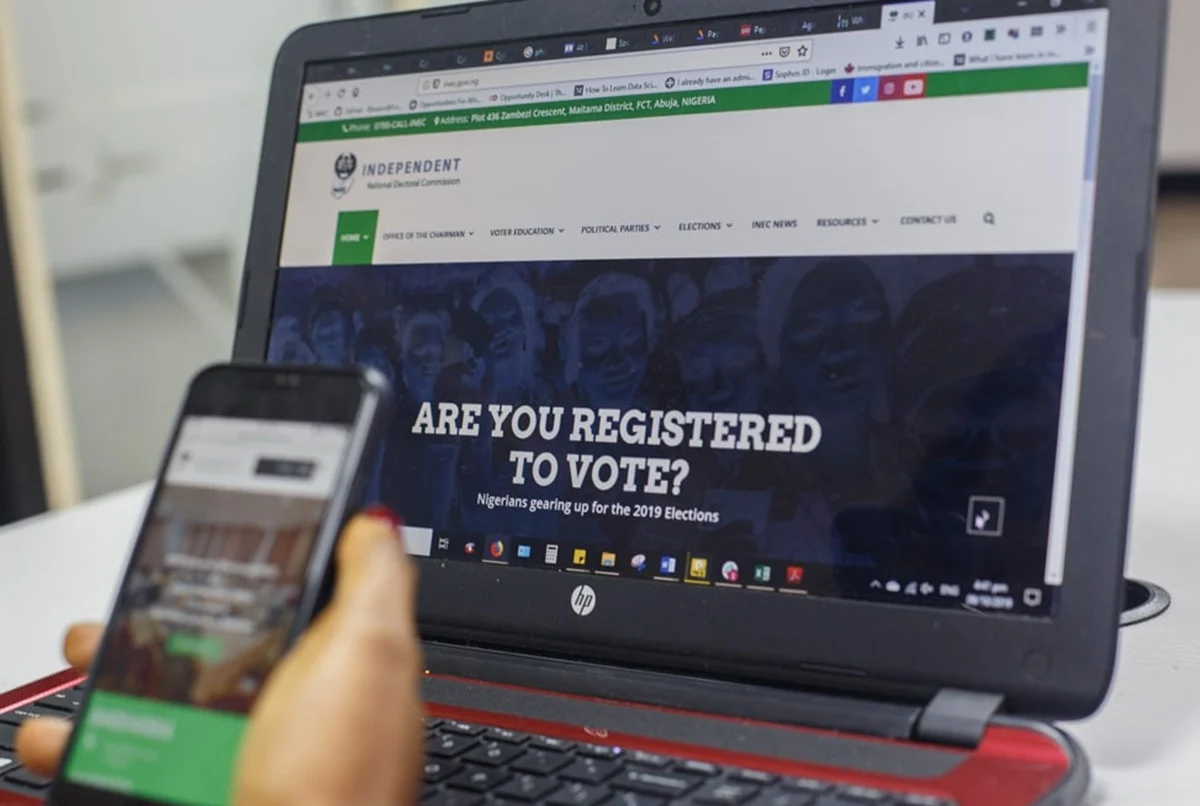
Step 1: Visit the INEC online self-service portal
Go to the INEC Self-Service CVR Portal and click “Register Online” to begin your application.
Step 2: Create an account
Before registering, you will need to open an account using your:
- First name
- Surname
- Mobile phone number
- Email address
- Preferred password
You will also be required to complete a security verification before proceeding.
ALSO READ: CVR: INEC warns against PVC delivery scam, fake website
Step 3: Verify your National Identification Number (NIN)
The next step is to validate your National Identification Number (NIN), which is required before you can continue with the registration process.
Step 4: Fill in your personal details
Complete the online form by providing your:
- Full name
- Date of birth
- Gender
- Occupation
- Home address
- Nationality
- Email address
- Phone number
- Educational qualification
- Disability status (where applicable)
- State, Local Government Area (LGA) and residential address
- Place of birth
- State and LGA of origin
Applicants may also include an alias or maiden name where applicable.
Step 5: Select your polling unit
Choose the location where you intend to vote by selecting your:
- State
- Local Government Area (LGA)
- Registration Area/Ward
- Preferred Polling Unit
Step 6: Upload supporting documents
Where necessary, attach any required supporting documents to your application before moving to the next stage.
Step 7: Capture your biometrics
Applicants must use the INEC mobile application to capture a passport photograph and fingerprints with a smartphone.
The registration portal provides a QR code and a link that can be opened on a smartphone to complete this step.
Step 8: Review and submit your application
Carefully review all the information entered before submitting your application through the portal.
Other services on the portal
Beyond fresh voter registration, the INEC self-service platform also allows users to:
- Change their polling unit
- Correct or update personal information
- Track previous applications
- Find the designated PVC collection centre
- Request a replacement for a lost, stolen or damaged PVC
Alternative pre-registration option
Applicants who do not have a National Identification Number (NIN) or prefer to complete their biometric capture at an INEC registration centre can choose the pre-registration option.
This involves filling out the online pre-registration form, scheduling an appointment, printing the acknowledgement slip and visiting the selected INEC registration centre to capture fingerprints and photographs.
According to INEC, the pre-registration optionis designed to shorten waiting time at registration centres since applicants would have completed their biodata online before their scheduled appointment.


Niger State Governor Bago Announces Running Mate for 2027 Polls

Drama as older man is accused of attacking young woman after she refused his advances in public (video)
Long live the honey queen: Why the honeybee queen live 8 years longer than the Worker Bees

Paul Scholes Reveals Why Argentina May Win England At 2026 FIFA World Cup Semi Final

Police Probe Tricycle Rider's Death After FRSC Operation Sparks Outrage

Kebbi Govt to conduct mass wedding for 300 Muslim, Christian couples

Import Duty Exemptions Cost Nigeria N34 Trillion in 2025, Customs Chief Reveals

 Investigation23 hours ago
Each and every one of you is guilty РDanish aid worker Anja Ringgren Lov̩n slams Nigerians filming malnourished child accused of being a witch in viral video
- National3 days ago
At Last, Fresh Video Showing How Some Of The Terrorists Was Arrested During Rescue Of Oyo Schoolchildren Emerged [WATCH HERE]
- News2 days ago
Army officer killed during rescue of kidnapped Oyo pupils, teachers buried
- Investigation3 days ago
Become a presidential candidate before you challenge me to a debate – Peter Obi replies Minister of Works, Dave Umahi (video)
- National3 days ago
Kano university probes alleged misconduct involving lecturer
- Investigation3 days ago
Please help poor Nigerians. The burden is heavy on government – First lady, Remi Tinubu appelas to Davido, Asake, Burna Boy (video)
- Society2 days ago
Yoruba elders alert of plot by Fulani to conquer South-West, rally eminent Nigerians
- National3 days ago
Ondo varsity lecturers begin indefinite strike over unpaid salaries